Lessons, conversations and practice
Inside HeyYusuf
A closer look at how HeyYusuf teaches Arabic through separate MSA, Gulf and Egyptian paths, practical lessons, pronunciation practice and guided conversations.
Screenshots from the current publicly available Google Play version of HeyYusuf.
Explore the learning experience01 / Your starting point
Choose your Arabic path.
HeyYusuf offers three separate Arabic learning paths: Modern Standard Arabic (MSA), Gulf Arabic and Egyptian Arabic. MSA is a standardized variety; Gulf and Egyptian Arabic are regional spoken varieties.
- Modern Standard Arabic (MSA)
A widely understood formal variety used across media, writing, and many structured settings.
- Gulf Arabic
Practical Gulf speech with a UAE and Emirati-oriented direction.
- Egyptian Arabic
Everyday spoken Arabic centered on how people communicate in Egypt.
02 / Pick up where you left off
Home, progress and continue learning.
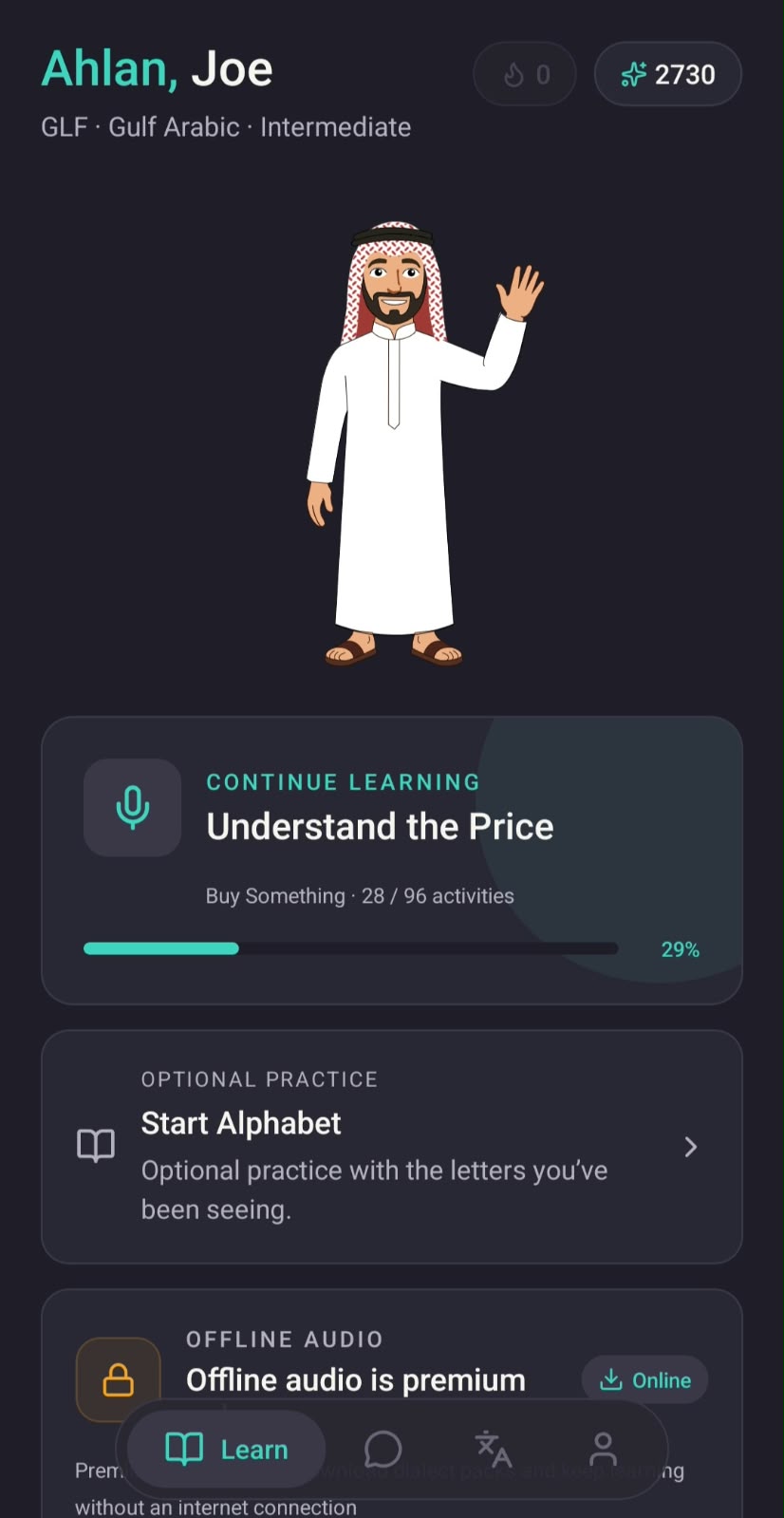
The home screen brings your selected path, learner level and XP together. This example shows Gulf Arabic, an Intermediate level label and 2730 XP. Continue Learning returns you to “Understand the Price”, with 29% progress shown for this learner.
You can also open Start Alphabet for optional practice with Arabic letters. The screen labels offline audio as premium. XP and the level label reflect in-app progress; they are not a language qualification.
03 / A little at a time
Structured units and lessons.
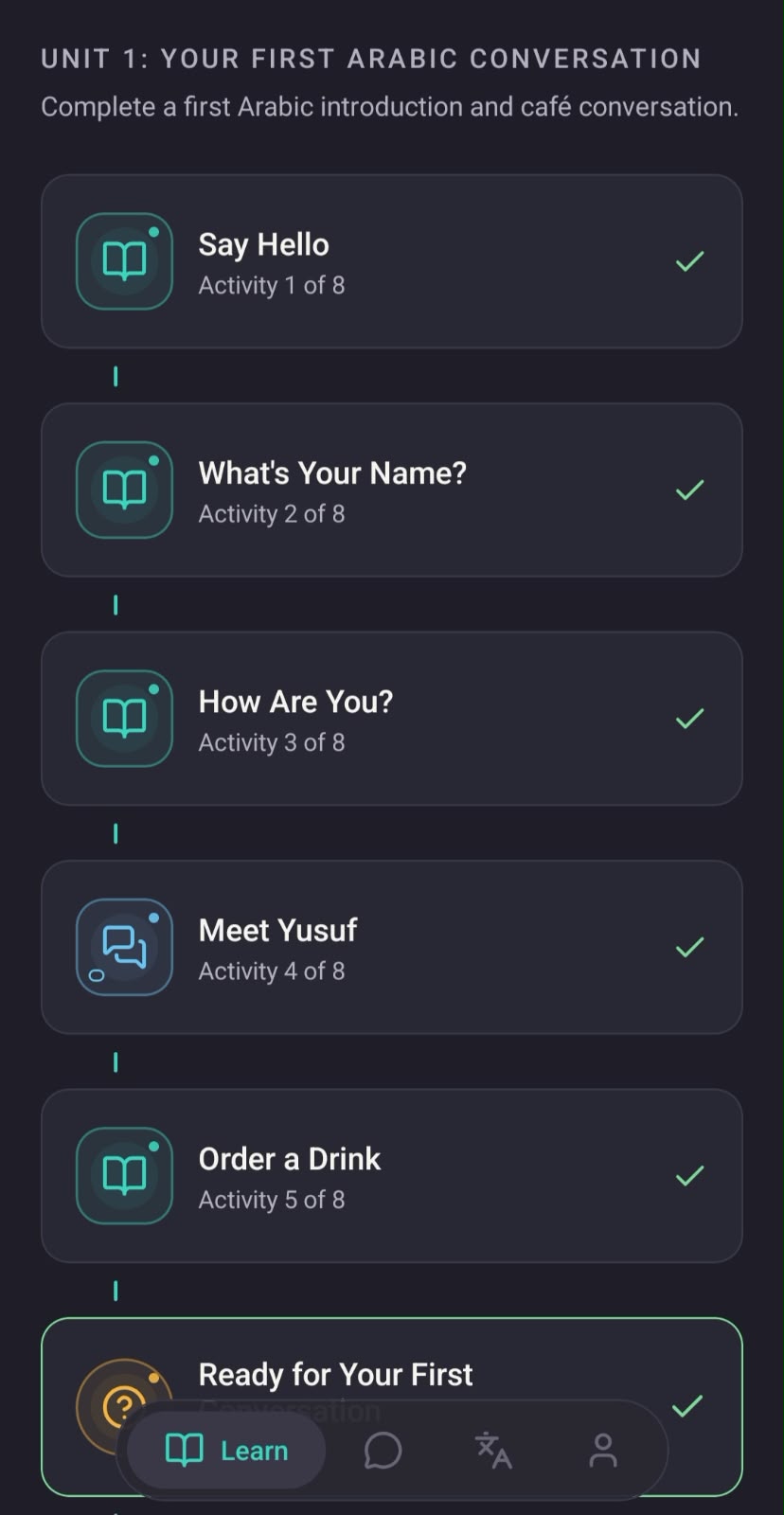
Follow a sequence of activities toward a practical conversation. Unit 1, “Your First Arabic Conversation”, introduces greetings and names before activities such as Meet Yusuf and Order a Drink. Lesson, conversation and practice icons distinguish the activity types.
Each activity has a numbered place in the unit, and checkmarks show completed activities. This screen shows how individual lessons fit into a path toward an introduction and a café conversation.
04 / Listen, then speak
Pronunciation and speaking practice.
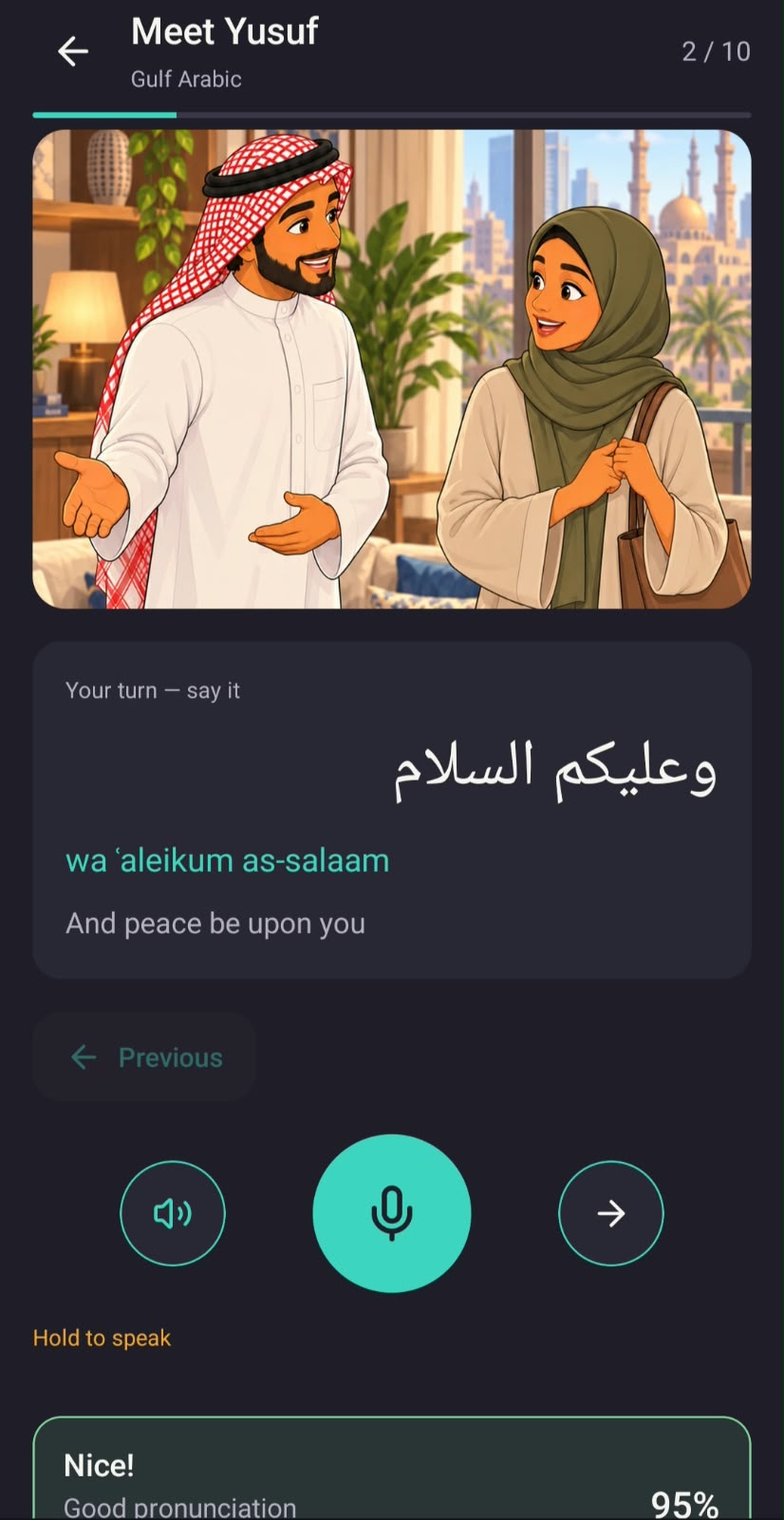
In the Gulf Arabic Meet Yusuf lesson, read the Arabic greeting alongside its transliteration and English meaning, “And peace be upon you”. The illustrated scene gives the exchange a setting. Use the listening control for audio support, then hold the microphone button to say the phrase.
Online pronunciation checks provide automated feedback on your recording. This example shows “Good pronunciation” and a 95% result for one attempt, not a measure of overall fluency. Checks require an internet connection and are subject to in-app access and usage limits.
Real human voices. Natural local Arabic.
HeyYusuf uses real human voices across three separate learning paths: Modern Standard Arabic (MSA), Gulf Arabic and Egyptian Arabic. Natural pronunciation and consistent voices give you clear listening references, without robotic-sounding audio.
Listen to “Which shirt do you want?” in each path below. Hear the voice alongside Arabic text, a pronunciation guide and an English meaning.
Modern Standard Arabic (MSA)
أي قميص تريد؟
Pronunciation guideayy qamiis turiid?
“Which shirt do you want?”
Website sample · Tap to play · Audio stops when you change variety or leave this section.
05 / Recall a useful reply
Quizzes, challenges and active recall.
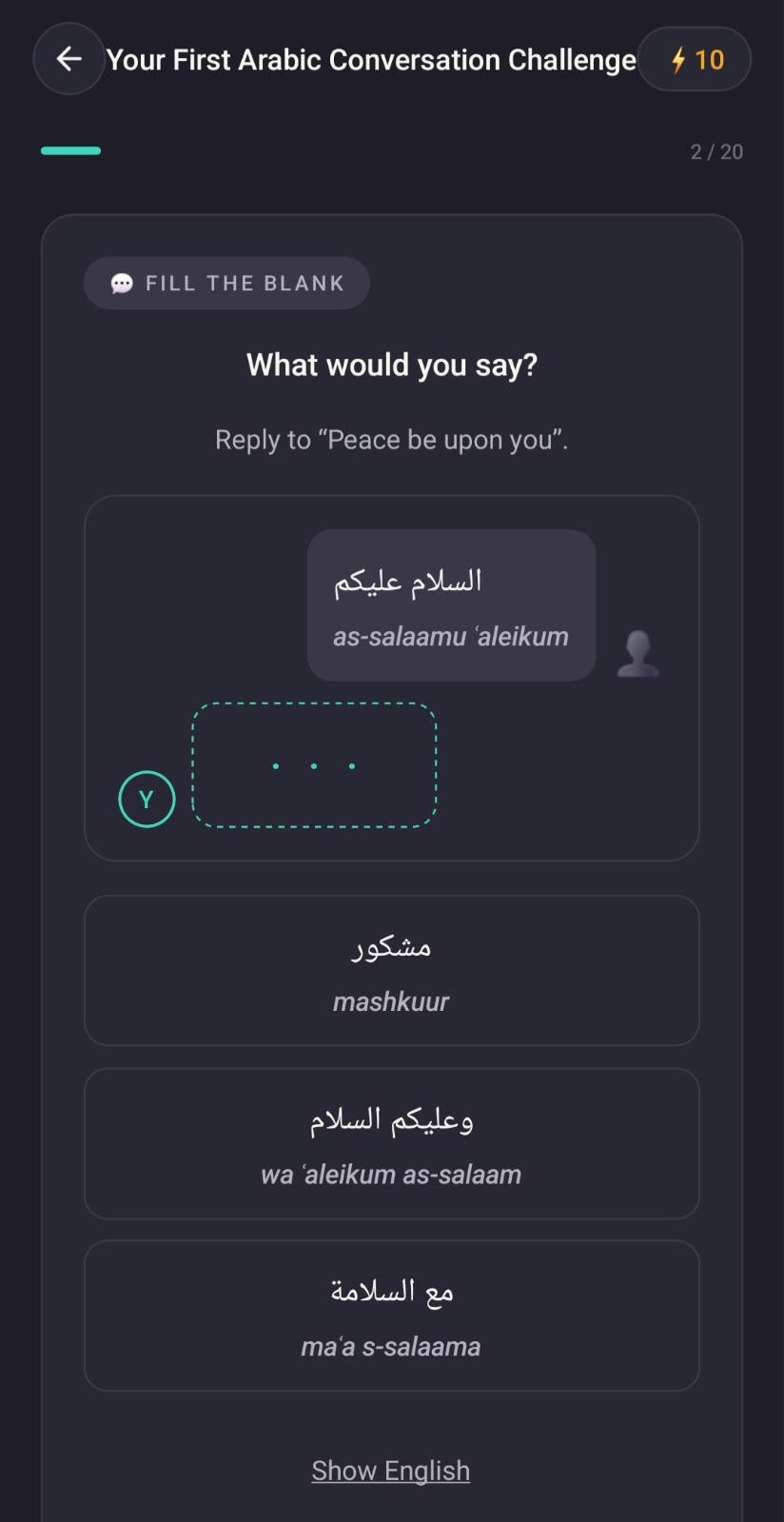
“Your First Arabic Conversation Challenge” asks you to choose the missing reply to a greeting. Read the prompt, compare the Arabic answer choices and their transliterations, then select a response. A Show English control offers meaning support.
The progress indicator shows question 2 of 20 in this captured challenge. Practice also includes number and price activities, such as the “Understand the Price” activity shown on the home screen above.
06 / Get to know the script
Arabic alphabet and reading path.
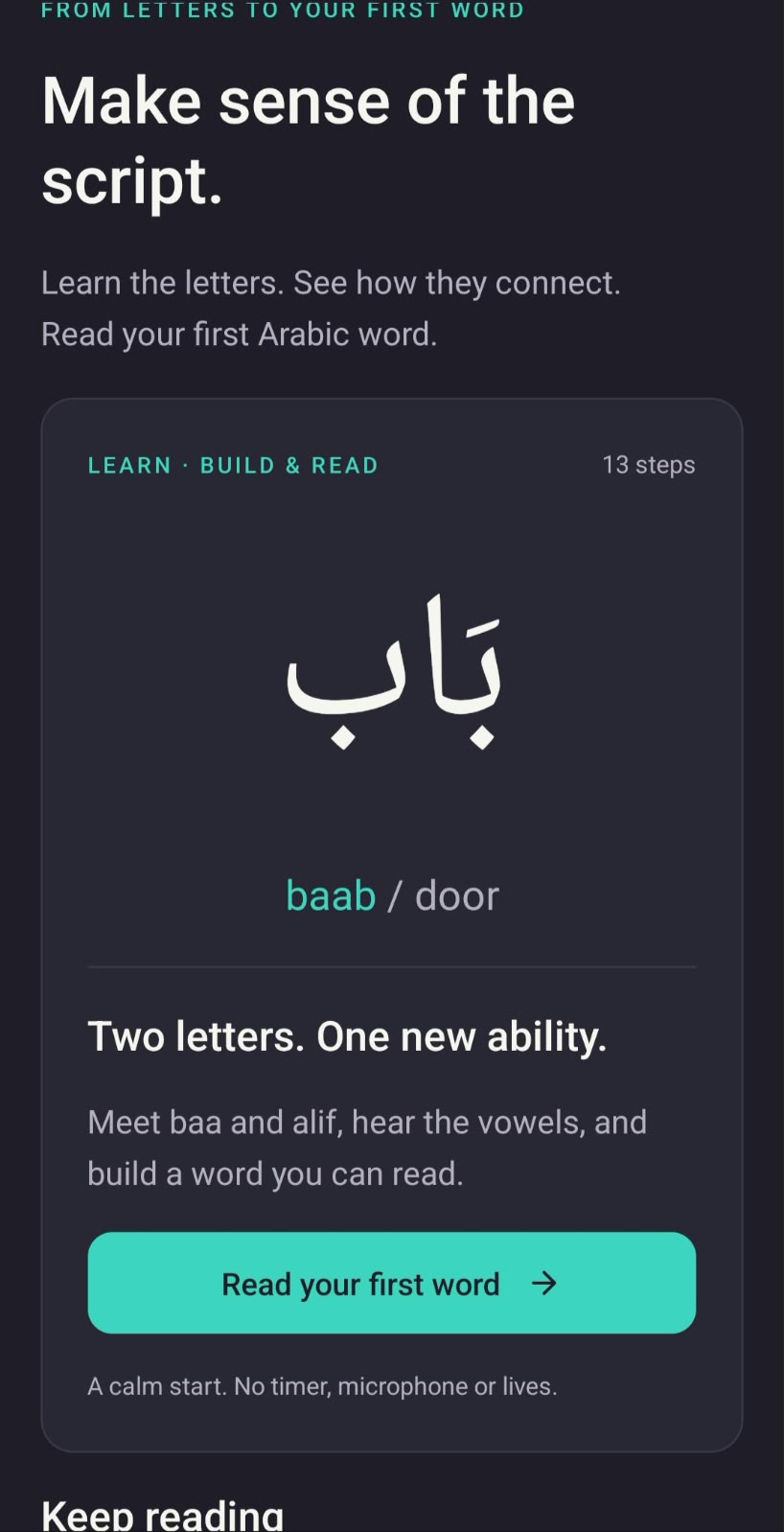
The dedicated alphabet screen invites you to “Make sense of the script”. Choose Read your first word to begin the Build & Read introduction: meet baa and alif, hear the vowels and see how letters connect to form بَاب — baab, meaning “door”.
The introduction shown here has 13 steps. That count describes this first-word sequence, not the entire alphabet curriculum. Alphabet practice is available as an optional entry point from the home screen.
07 / Connect a mark with a sound
Letters, vowel marks and sound.
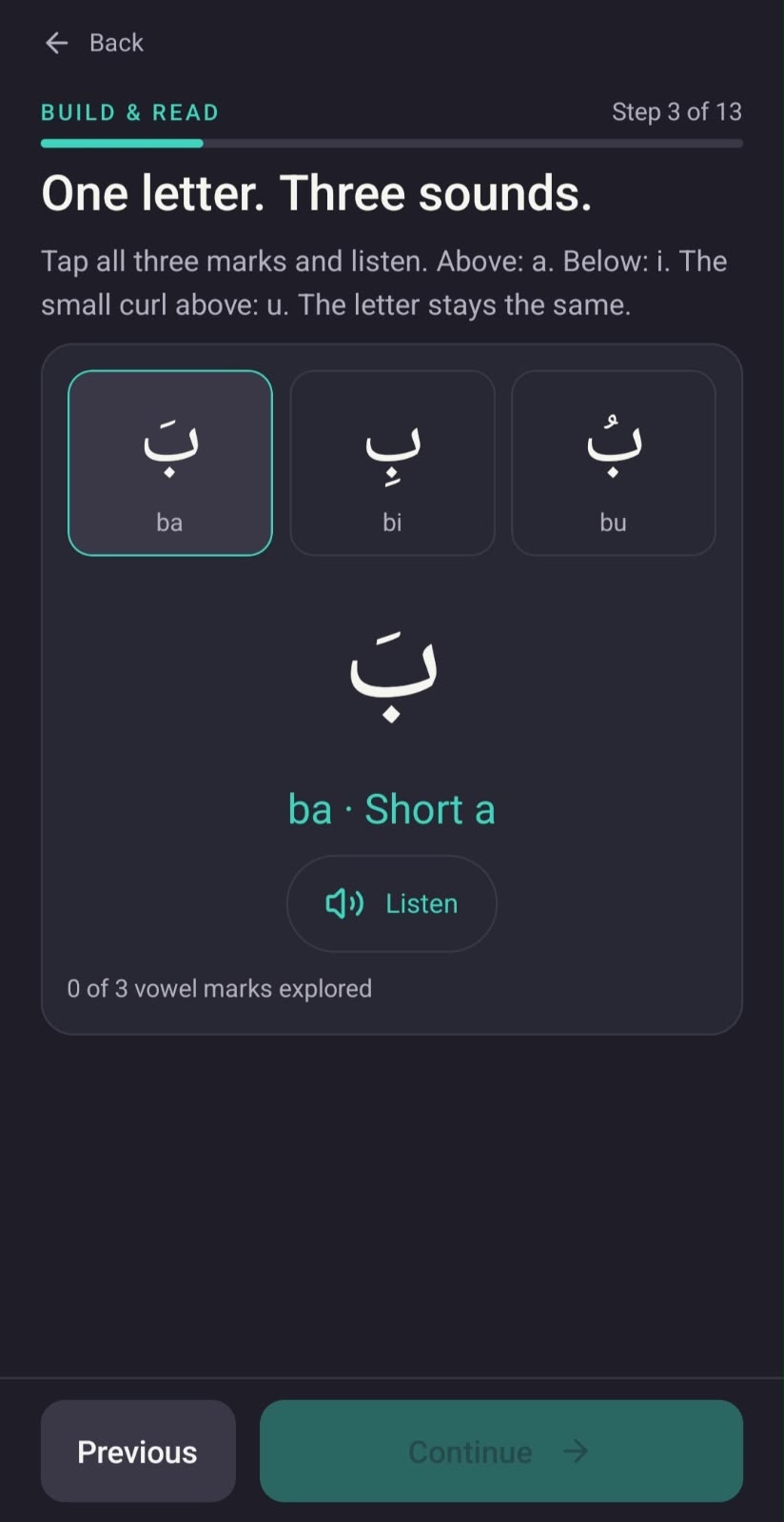
At step 3 of this Build & Read introduction, explore one letter with three short vowel marks: ba, bi and bu. Tap a form to compare how the mark changes the sound while the letter stays the same, and use Listen to hear the selected form.
The screen highlights the selected form, shows its short vowel sound and tracks how many of the three marks you have explored. Previous and Continue controls place this exploration within the step-by-step reading sequence.
Find your first conversation.
Explore HeyYusuf and choose the Arabic path that fits your goals.
Explore HeyYusuf